
Form 10IEA
Guide to Form 10IEA: Opting into or Withdrawing from the New Tax Regime
INCOME TAX FORMS
Ujjwal Kumar. Ch
6/4/20245 min read
Overview
Form 10IEA
Application for choosing or opting out of the New Tax Regime.
In the Finance Act 2023, the government introduced Form 10 IEA for taxpayers to opt out of the new tax regime and switch to the old tax regime for filing their income tax returns. This form provides taxpayers with the flexibility to choose the tax regime that best suits their tax planning, ensuring they can benefit from the most advantageous tax provisions available.
Default tax regime from Assessment Year 2024 - 2025 (FY 23-24)
Following the Finance Act 2023, the default tax regime in India is now the new tax regime. This means that taxpayers are automatically placed under this regime unless they specifically opt out and choose the old tax regime through Form 10 IEA.
Requirement for Filing Form 10 IEA
Individuals, Hindu Undivided Families (HUF), Associations of Persons (AOP) (other than cooperative societies), Bodies of Individuals (BOI), and Artificial Juridical Persons (AJP) having income from business or profession need to file Form 10 IEA to opt for or withdraw from the new tax regime. However, any individual, regardless of their income source, who chooses not to opt out of the new tax regime for the Assessment Year (AY) 2024-2025 is not obligated to file Form 10IEA.
Additionally, individuals and Hindu Undivided Families (HUFs) who do not have income from profits or gains from business or profession can opt for the old tax regime directly at the time of filing their income tax returns. In simple terms, persons who are filing income tax returns using ITR-1 or ITR-2 do not need to file Form 10 IEA and can choose the old tax regime while filing their returns.
This simplifies the process for many taxpayers, allowing them to select the most beneficial tax regime without additional work if their income sources are straightforward or if they choose to remain in the new tax regime.
Due date for filing Form 10 IEA
Form 10IEA must be filed either before filing your income tax return or on or before the due date specified under section 139(1) of the Income Tax Act, whichever comes earlier.
The Date of Filing and Acknowledgement number from Form 10IEA must be provided in the income tax return filed for the assessment year in which Form 10IEA is submitted.
Filing Form 10IEA: Essential Information & Step-by-Step Guide
Quick Glance at the Form
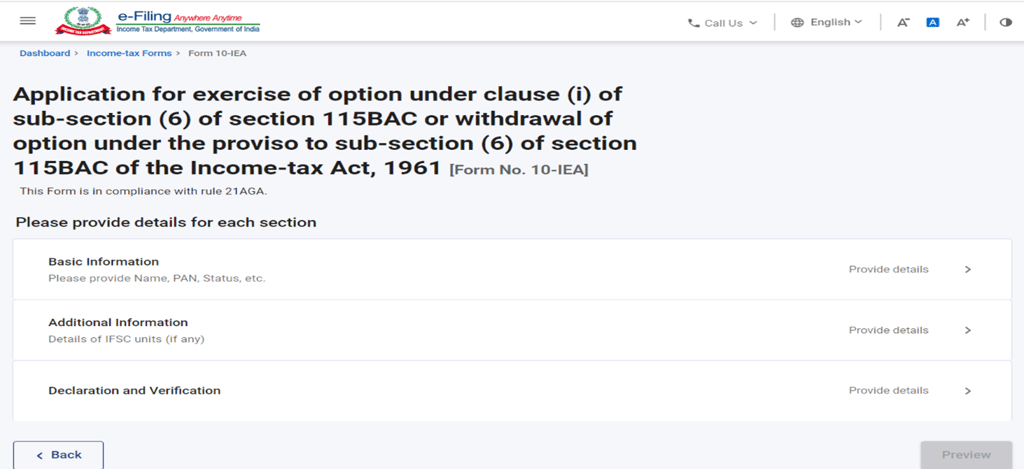
Form 10IEA is divided into three parts: Basic Information, Additional Information, and Declaration and Verification. Each part serves a specific purpose and must be accurately completed to ensure proper filing and compliance with tax regulations.
Part 1: Basic Information
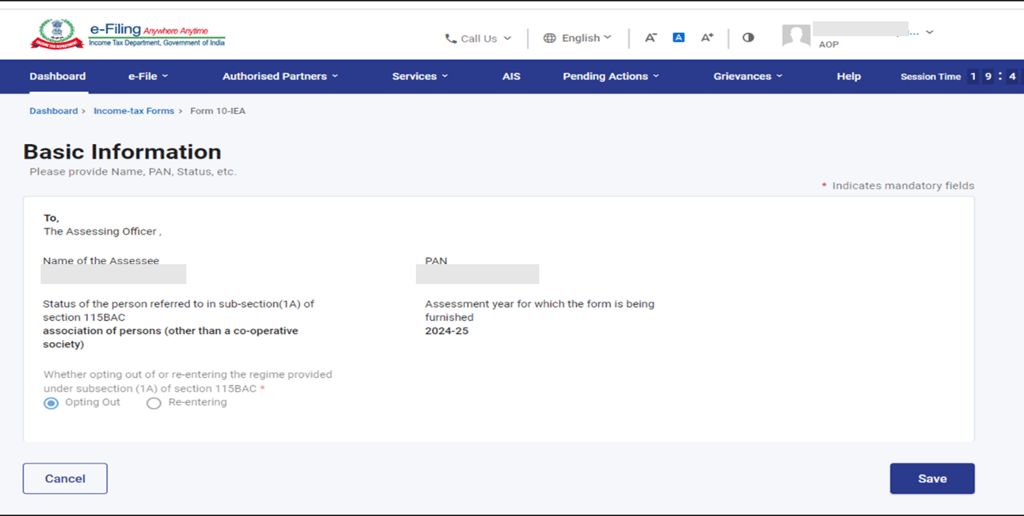
In Part 1 of Form 10IEA, you'll find pre-filled details about the assessee, including:
Name of Assessee
PAN (Permanent Account Number)
Assessment Year (AY)
Status of the person
If it's your first time filing this form, the option for opting out of the new tax regime will be auto-selected. Conversely, if the system already contains a valid form with the opting-out option, the re-entering option will be auto-selected.
Part 2: Additional Information
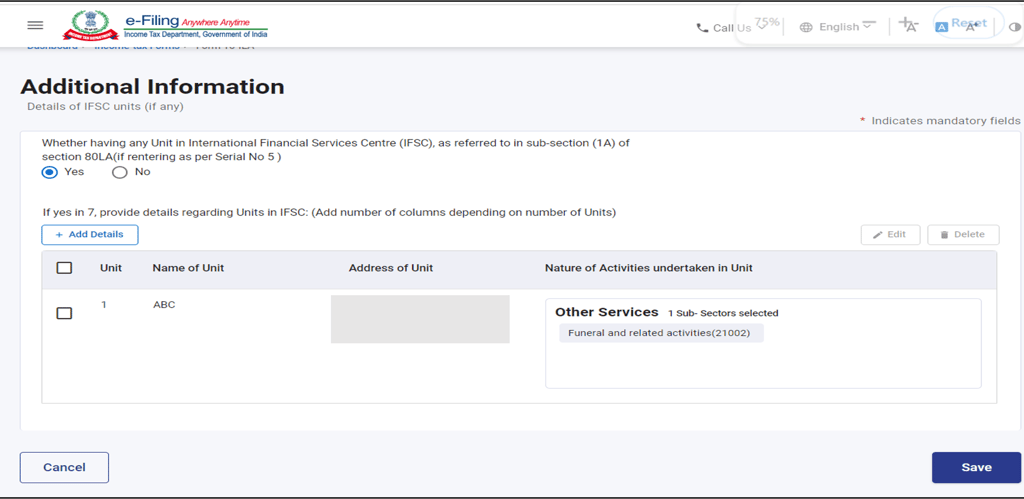
Part 2 of Form 10IEA pertains to providing additional information, particularly related to the IFSC (Indian Financial System Code) unit, if applicable.
Please Note: If you are opting out of the new tax regime, this Additional Information panel will be greyed out.
Part 3: Declaration and Verification
In Part 3, the taxpayer is required to make a declaration and verification for either opting out or re-entering into the new Tax Regime. This section is crucial as it signifies your choice regarding the tax regime and ensures compliance with the relevant tax regulations.
Ensure all details are accurately filled out and reviewed before submission.
Remember, accurate and timely completion of Form 10IEA is essential for ensuring compliance with tax regulations and effectively managing your tax affairs. If you have any doubts or queries, consider seeking guidance from a tax professional or consulting the relevant tax authorities.
Steps for filing the Form 10IEA
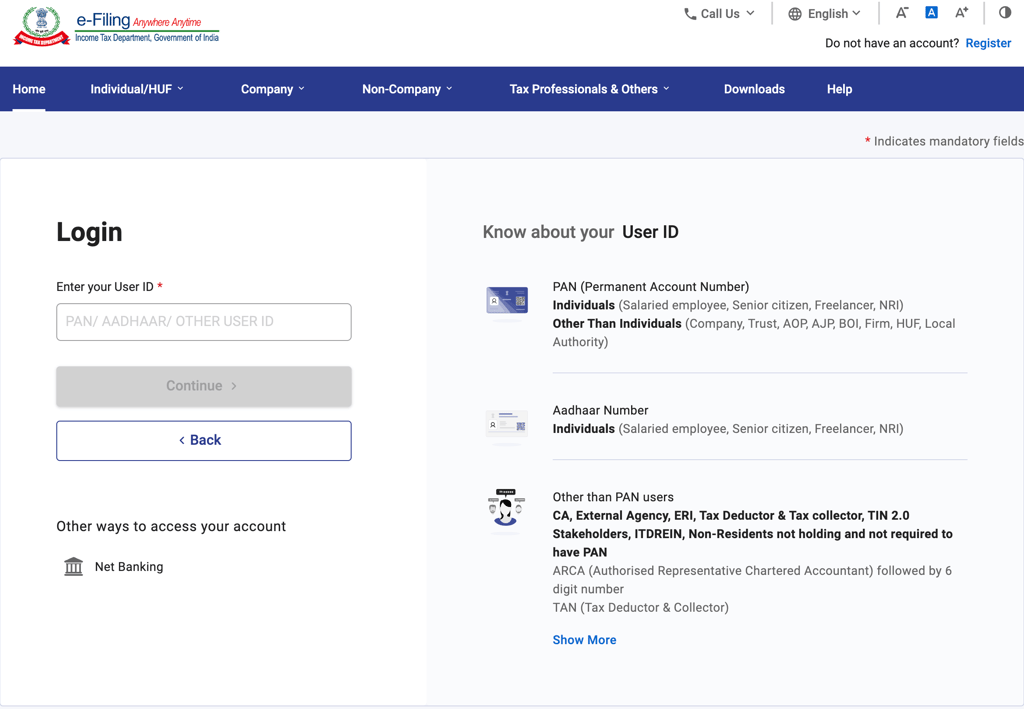
Step 1: Log in to the e-filing portal using your User ID and Password.
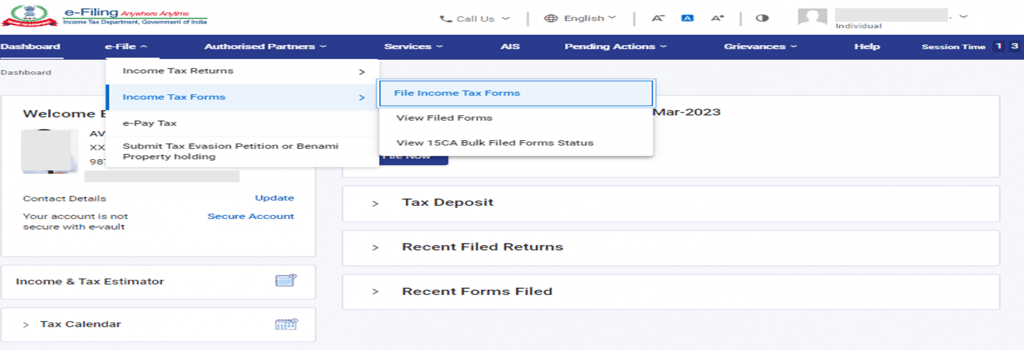
Step 2: On your Dashboard, go to the e-File menu > Income Tax Forms > File Income Tax Forms.
Step 3: On the page- File Income Tax Forms -‘Persons with Business/Professional Income -select the option-Form-10IEA. Alternatively, enter Form 10IEA in the search box to file the form.
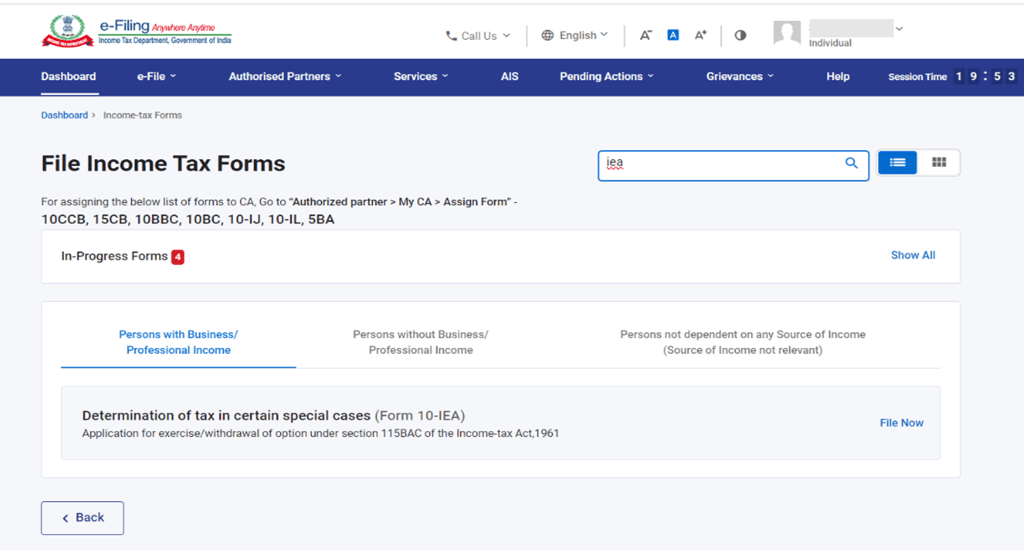
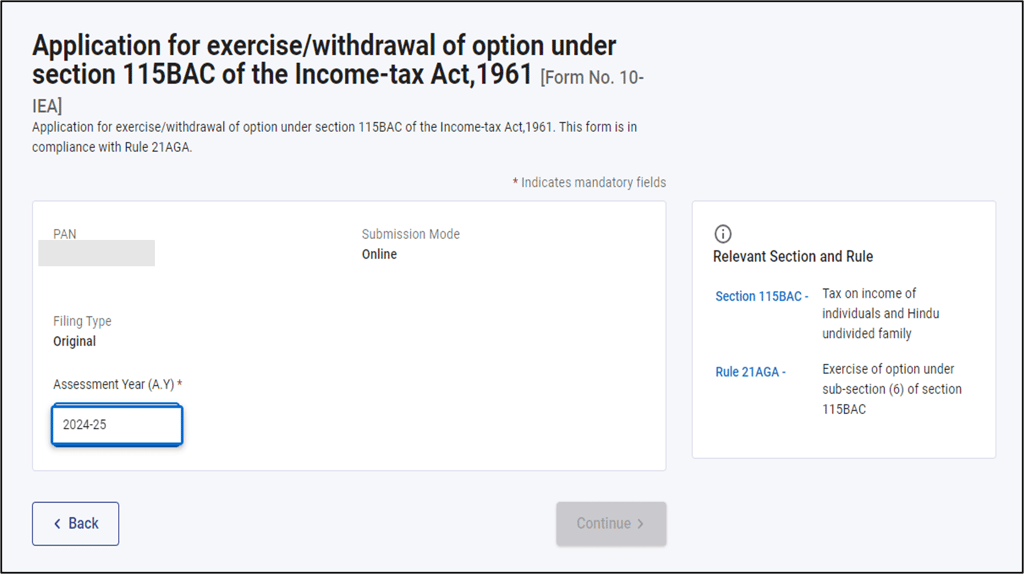
Step 4: On the Form 10IEA page, select the relevant Assessment Year and click on Continue to the next page. On the next page, click on "Let's Get Started".
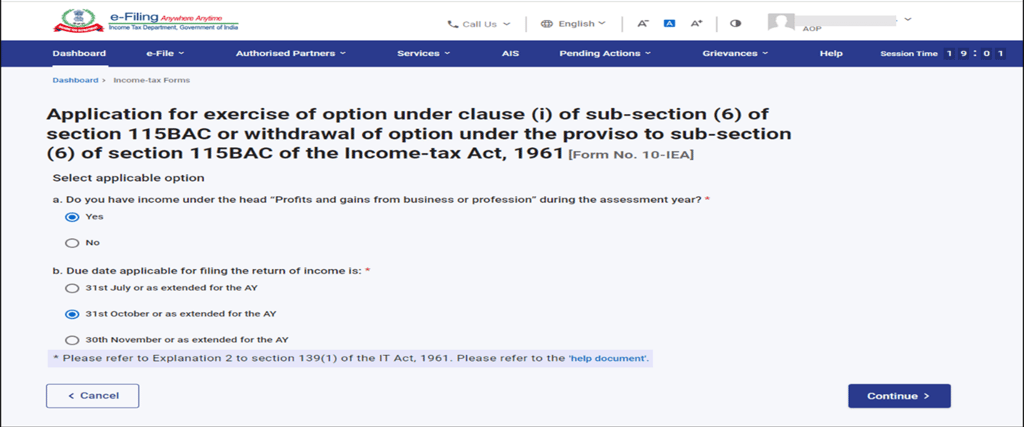
Step 5: Select Yes if you have income under the head "Profits and gains from business or profession" during the assessment year, then select the due date applicable as per Section 139(1) for filing the return of income, and click Continue.
Note:
It is mandatory to submit Form 10-IEA for Opt out or Re-entering in to New Tax regime by Individuals, HUF, AOP (other than co-operative societies),BOI & AJP who have income from business or profession.
Individuals/HUF without any business or professional income can opt out of the New Tax regime or Re-enter in to the New Tax Regime directly when they file their Income tax returns.
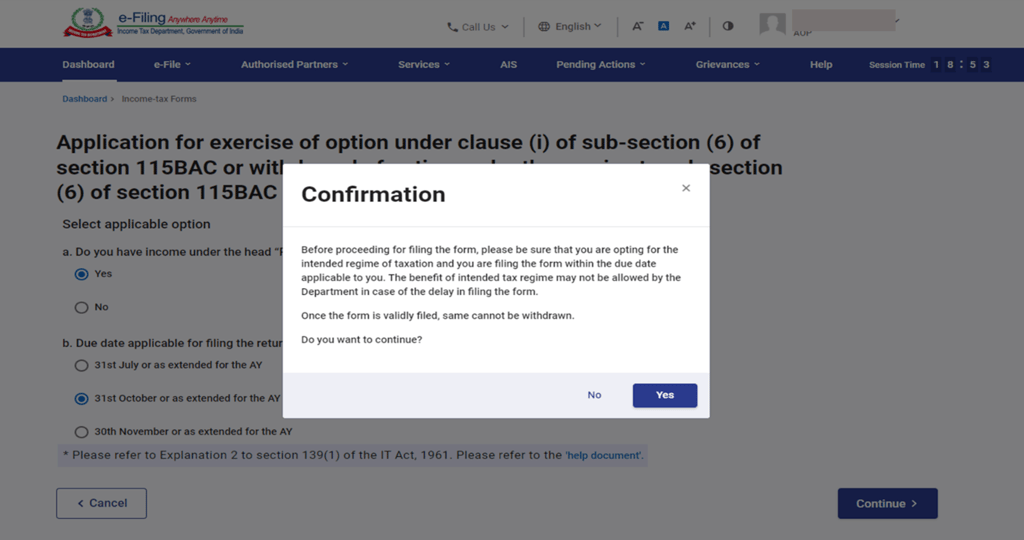
Step 6: Click ‘Yes’ to Confirm the selection of the regime.
Step 7: In the Basic Information section, your basic information will be pre-filled. Select the required option for opting out of or re-entering the new tax regime and click Save.
Step 8: Fill the necessary details in Additional information section related to IFSC unit (if any) and click on save. If you are opting out of new Tax regime then the additional information section will be greyed off.
Step 9: Fill the necessary details in Declaration and verification section of the form, and click on save.
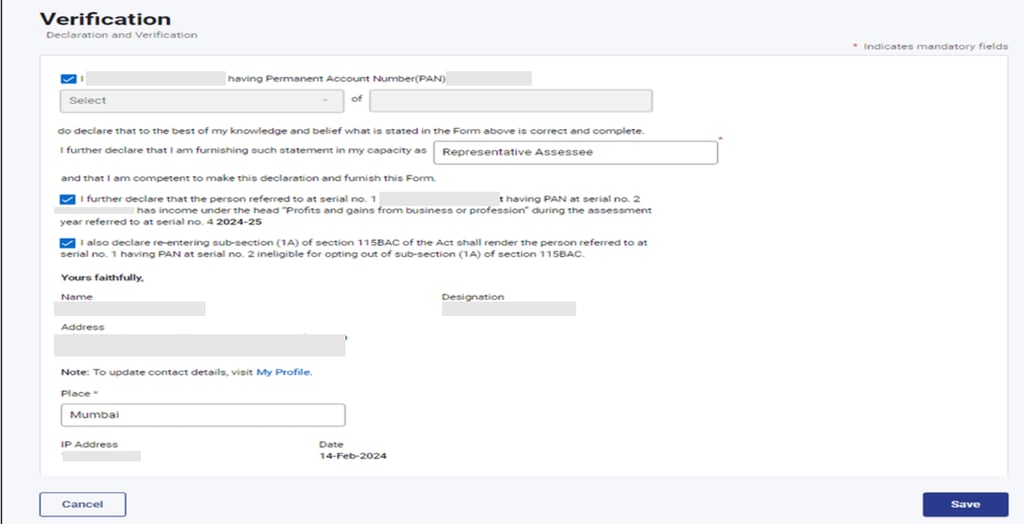
Step 10: Check all the details furnished in the form and click on Proceed to e-verify.
You can e-verify through:
Aadhar OTP
Digital Signature Certificate (DSC)
Electronic Verification Code (EVC)
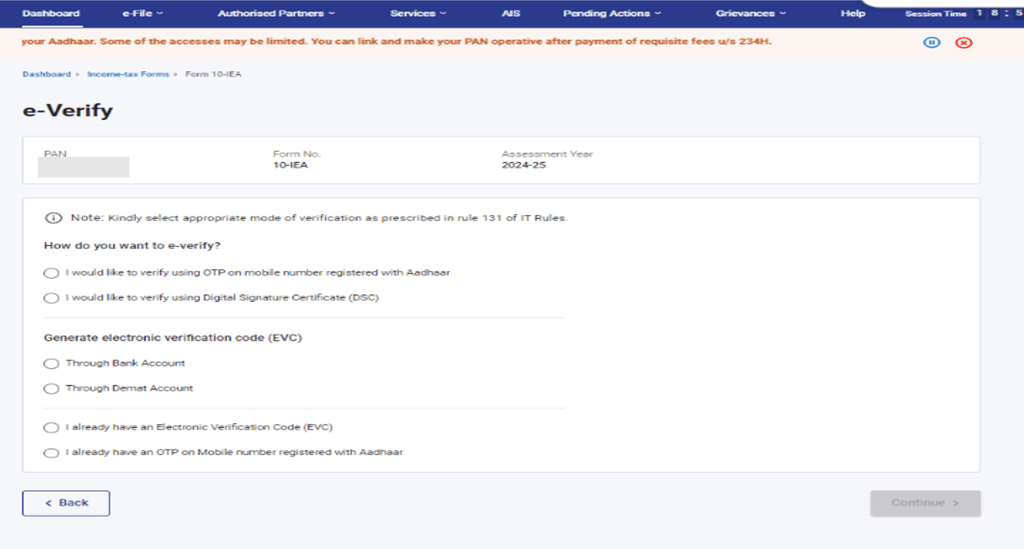
Step 11: After verification Click on yes to Submit the Form.
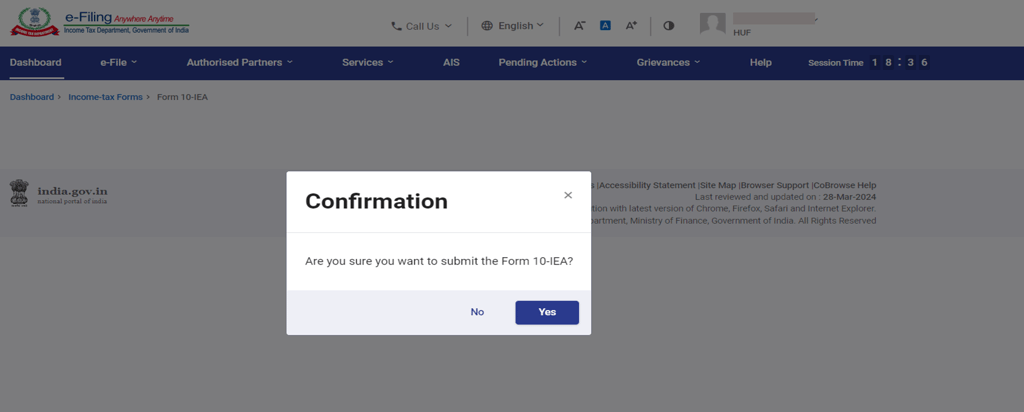
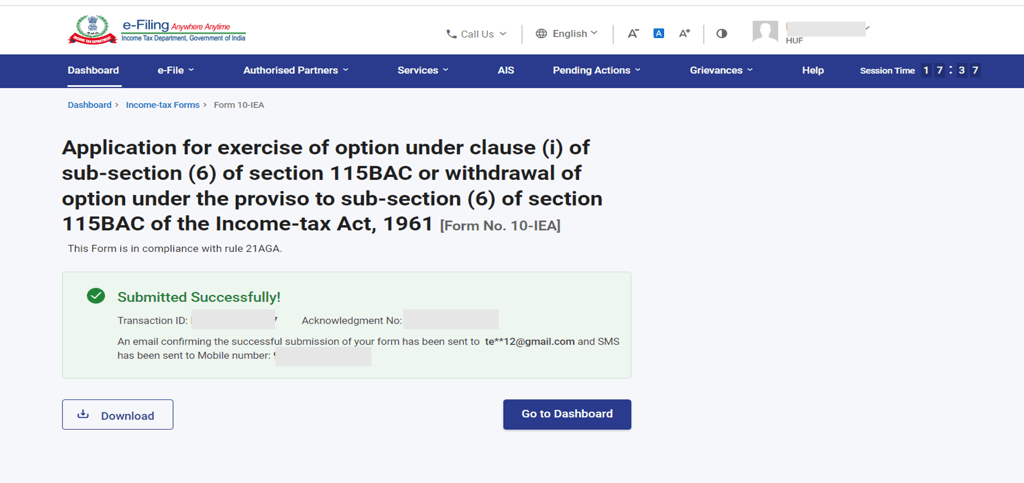
Step 12: Once the form is submitted, a success message will be displayed, along with the Transaction ID and the Acknowledgement number. Ensure to save these details for future reference, as they are required to be updated while filing the Income Tax Return.
Get in touch
We are here to assist you with any queries or concerns you may have.


Services
Contact
Subscribe to our newsletter
© 2024. All rights reserved.
External Links
+91 9490229229
info@ukaca.in